
How to Choose a WiFi Router to Maximize Your Internet Speed
How to choose the right WiFi router: WiFi 6 and 6E standards, bandwidth, range, MU-MIMO, and practical tips to maximize speed at home or in the office.
In today's digital era, a fast and reliable internet connection has become an indispensable necessity. Whether you're working from home, watching 4K streaming, or playing online, the speed and stability of your WiFi network are fundamental. But often, even with an excellent connection, slowdowns or disconnections occur. In many cases, the culprit is the WiFi router.
Choosing the right router isn't just a matter of brand or price, but requires an in-depth knowledge of available technologies. In this article we'll guide you step by step in choosing the ideal router to maximize your internet connection speed.
What Makes a WiFi Router "Good"?
A good router must be able to:
-
Handle the maximum speed offered by your ISP
-
Cover the entire area of your home or office
-
Support many devices connected simultaneously
-
Minimize interference
-
Guarantee a secure and stable network
But how do you choose the right model from among the hundreds available on the market?
Dual-Band vs Tri-Band WiFi Router: What's the Difference?
One of the first elements to consider is the number of WiFi bands supported by the router.
Dual-Band (2.4 GHz + 5 GHz)
Dual-band routers transmit on two different frequencies:
-
2.4 GHz: Has greater range and penetrates better through walls and obstacles, but is more congested and slower.
-
5 GHz: Offers much higher speeds, but covers a smaller area and has problems with obstacles.
Advantages:
-
Good compromise between speed and coverage
-
Ideal for medium-sized homes and everyday use
Disadvantages:
-
The bands share the same processing capacity (CPU and RAM)
-
Possible congestion if many devices use the same band
Tri-Band (2.4 GHz + 5 GHz + 5 GHz)
Tri-band routers add a second 5 GHz band, dedicated mainly to devices that require high performance (e.g., 4K streaming, gaming, smart TV).
Advantages:
-
Less congestion thanks to two 5 GHz bands
-
Superior performance in environments with many devices
-
Ideal for large homes or offices
Disadvantages:
-
More expensive
-
Higher energy consumption
Speedtest.it Tip: If you have a large home or many connected devices, choose a tri-band router. If your home is small and you have few devices, a good quality dual-band can suffice.
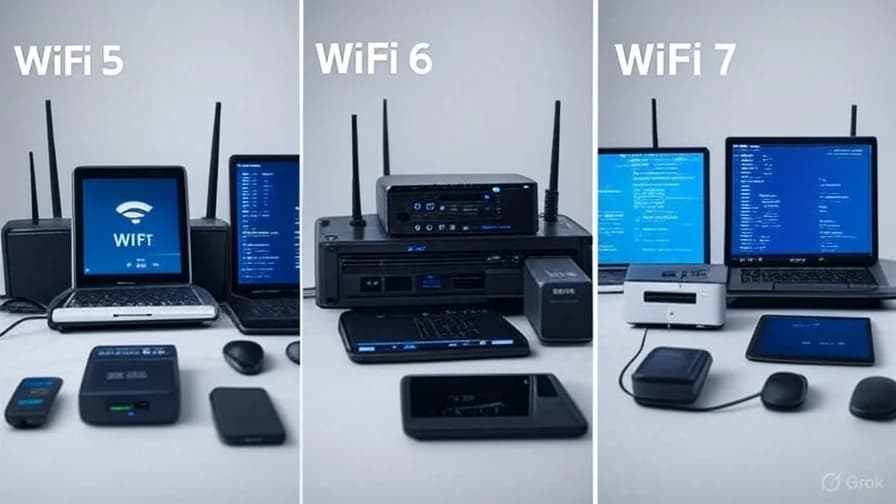
WiFi Standards: 802.11ac (WiFi 5) vs 802.11ax (WiFi 6) vs 802.11be (WiFi 7)
The WiFi standard version directly influences the maximum performance of the router.
WiFi 5 (802.11ac)
-
Theoretical speed up to 1.3 Gbps (5 GHz only)
-
Supports MU-MIMO (Multi-User, Multiple Input, Multiple Output)
-
Widespread and reliable, but now surpassed
WiFi 6 (802.11ax)
-
Theoretical speed up to 9.6 Gbps
-
Better traffic management with many devices
-
Reduced latency and better energy efficiency
-
Backward compatible with WiFi 5 and earlier devices
WiFi 6E (WiFi 6 + 6 GHz band)
-
Adds a third 6 GHz band, less congested
-
Even better performance in dense environments
-
Requires compatible devices (still not widespread)
WiFi 7 (802.11be) – The Future
-
Theoretical speed up to 40 Gbps
-
Support for wider channels (320 MHz)
-
Still in the commercial adoption phase
Speedtest.it Tip: If you have modern devices and a fast connection (> 500 Mbps), invest in a WiFi 6 router. If you have a limited budget, a good WiFi 5 router can still offer excellent performance.
Processors, RAM, and LAN Ports: What Really Counts?
Processor (CPU)
A router with a powerful processor is able to:
-
Manage more devices simultaneously
-
Process data in real time (e.g., gaming, streaming)
-
Reduce latency
High-end routers use multi-core processors at 1 GHz or more.
RAM
RAM is fundamental for managing simultaneous connections.
-
Budget range: 128-256 MB
-
Mid-range: 512 MB
-
High-end: 1 GB or more
More RAM = more devices managed without slowdowns.
LAN Ports (Ethernet)
Even if many devices use WiFi, having Gigabit Ethernet ports is essential for:
-
Desktop PCs
-
Smart TVs
-
Gaming consoles
-
NAS
Make sure the router has at least 4 Gigabit LAN ports.
Tips for Large Homes, Offices, and Environments with Interference
WiFi Coverage in Large Spaces
-
Use a tri-band router
-
Consider using mesh WiFi to cover every corner of the home
-
Avoid placing the router in basements or closed closets
Environments with Thick Walls or Obstructing Materials
-
Prefer the 5 GHz band for high speeds
-
Use repeaters or mesh WiFi to extend the signal
-
Routers with external antennas offer greater flexibility
Interference from Other Devices
-
Congested WiFi channels (e.g., 1, 6, 11 on 2.4 GHz)
-
Microwaves, baby monitors, Bluetooth can cause interference
-
Use the 5 GHz or 6 GHz band (WiFi 6E) to avoid traffic
Useful Tools
-
WiFi scanning app to find the least congested channel
-
Speedtest.it to verify real speed in every room
How to Test Your Router Speed?
After choosing and installing the router, it's important to verify that it's actually maximizing your connection.
-
Connect via Ethernet cable to the router
-
Go to speedtest.it and start a test
-
Repeat the test via WiFi in different rooms
-
Compare results with the speed promised by your ISP
If WiFi speed is much lower than cable speed, the problem could be the router or its position.
Comparison Table: Dual-Band vs Tri-Band vs Mesh
Feature | Dual-Band | Tri-Band | Mesh System
WiFi Band | 2 (2.4GHz + 5GHz) | 3 (2.4GHz + 5GHz + 5GHz) | 2 or 3 bands per node
Ideal for | Small/medium homes | Large homes / many devices | Large homes or offices
Coverage | Limited | Good | Excellent
Price | Low | Medium | High
Installation ease | Simple | Medium | Simple (auto-configuration)
Security and Updates
A modern router must offer:
-
WPA3 (advanced encryption)
-
Regular firmware updates
-
Integrated firewall
-
Parental controls
-
Guest Network
Recommended Brands
High-End
-
ASUS ROG / ZenWiFi
-
Netgear Nighthawk / Orbi
-
TP-Link Archer / Deco
-
Linksys Velop
Mid-Range
-
TP-Link Archer AX50
-
ASUS AX5400
-
Netgear RAX40
Budget
-
TP-Link Archer A7
-
ASUS RT-AC1200
-
Netgear R6700
Conclusion
Choosing the right WiFi router to maximize your connection speed isn't easy, but with the right knowledge you can make an informed choice.
Here's a summary of the key points:
-
Tri-band > Dual-band for large homes or many devices
-
WiFi 6 > WiFi 5 for future-proof performance
-
Processor and RAM are crucial to avoid slowdowns
-
Position the router in a central, open location
-
Use tools like speedtest.it to verify performance
Investing in a good router is like investing in a solid foundation for your digital home. Never underestimate the importance of a fast and stable WiFi network!
Want to know which router is right for your home? Run a speedtest at speedtest.it and send us your results — we'll help you choose the perfect model!
← All articles